

December 22, 2025
Is your Google Analytics lying about leads? Discover why server-side tracking for small business is essential to fix data loss and improve ROI.
You're looking at your analytics, and it seems like everything is clear. You see your leads, your conversions, and you feel confident about your marketing efforts. But what if that picture is incomplete? What if a huge chunk of your customer journeys are completely invisible to you? This isn't just a small glitch; it's a massive blind spot that's costing you money and leading to bad decisions. We're talking about the 'invisible' 40%, and it's time you understood why your current tracking methods are failing you and how server-side tracking for small business might offer a solution, but not without its own set of challenges.
You're looking at your analytics reports, feeling pretty good about the numbers. You see your website traffic, your conversion rates, and you think you've got a solid grasp on how your marketing is performing. But what if I told you that a huge chunk of that data is simply… gone? It's like trying to understand a conversation when half the words are missing. You're making important business decisions based on incomplete information, and that can be a real problem.
It's a harsh reality, but a significant portion of your potential customers are invisible to standard tracking methods. Ad blockers, used by an estimated 40% of internet users, actively prevent tracking scripts from running. This means that for nearly half of your visitors, their journey on your site – their clicks, their page views, their interactions – simply isn't being recorded by tools like Google Analytics. Add to this the increasing restrictions from browsers, especially on mobile devices like iPhones, and that number can climb even higher. You're left with a skewed view, overestimating the effectiveness of channels that are being tracked and underestimating others that are being blocked.
Even when data is collected, it might not tell the whole story. Google Analytics 4 (GA4) is a powerful tool, but it relies on the data it receives. If that data is incomplete due to ad blockers, browser privacy settings like Apple's Intelligent Tracking Prevention (ITP), or even bot traffic, GA4's reports become a form of fiction. You might see a conversion attributed to "Direct" traffic when, in reality, the user arrived from a paid ad that was blocked or had its tracking cookie expire prematurely. This misattribution leads to flawed insights, making it difficult to understand which marketing efforts are truly driving results. This isn't just a minor inconvenience; it's a fundamental flaw in how you're measuring success.
When your analytics are lying, the consequences ripple through your entire organization. Marketing directors might cut budgets for high-performing campaigns because the initial touchpoints weren't recorded, leading to a significant loss of potential revenue. Sales teams might misjudge lead quality because the source information is inaccurate or missing. Ultimately, you end up optimizing your spend based on bad data, chasing the wrong metrics, and missing out on genuine opportunities for growth. It's a cycle of misinformed decisions that can seriously impact your bottom line. Understanding this data loss is the first step toward reclaiming accurate insights and making smarter choices for your business. For a deeper look into how this impacts offline conversions, you might find this guide on tracking offline leads helpful.

Let's talk about how your website currently tracks visitors. Most likely, you're using what's called client-side tracking. Think of it like a little script that runs in your visitor's web browser. It's been the standard for years, and it works… sort of. But it has some serious weaknesses that are probably making your marketing data look a lot rosier than it actually is.
Your website probably has a bunch of these scripts running. Google Analytics, Facebook Pixel, LinkedIn Insight Tag – they all live on your site and send data back to their respective platforms. The problem? These are third-party scripts. They rely on your visitor's browser to execute and send information. This makes them vulnerable. Ad blockers, which a surprising number of people use, are designed to stop these scripts in their tracks. This means a significant chunk of your traffic, potentially 25-40% on desktop, simply isn't being recorded. It's like trying to have a conversation in a crowded room with half the people wearing noise-canceling headphones.
Then there's Apple. Their Intelligent Tracking Prevention (ITP) feature, especially on Safari and iOS devices, is a major hurdle. ITP aggressively limits how long third-party cookies can last – often down to just 7 days. For businesses with longer sales cycles, this is a disaster. Imagine a customer interacts with your ad, visits your site, and then comes back two weeks later. If their original tracking cookie has expired, that second visit might be misattributed as a direct visit, completely obscuring the original ad's influence. This can inflate your direct traffic numbers by 40-70% and make it impossible to get accurate attribution for customer journeys longer than a week.
When these tracking scripts are blocked or cookies expire prematurely, you end up with what we call phantom sessions or ghost IDs. A user might visit your site multiple times, but because the tracking couldn't link those visits together, each visit appears as a new, anonymous user. This inflates your unique visitor counts and makes it impossible to understand a user's actual behavior over time. You're essentially seeing a collection of disconnected moments rather than a continuous story. This incomplete picture means you might be optimizing your campaigns based on flawed data, leading to wasted ad spend. Google Ads and Analytics results can show discrepancies for these very reasons.

You've likely heard the buzz around server-side tracking. It's presented as the ultimate fix for all your data woes, a magic bullet that will recover all those lost leads and give you perfect clarity. But let's pull back the curtain a bit. The reality is often far more complex and costly than the sales pitches suggest. Many vendors paint a picture of quick setup and minimal expense, but that's rarely the full story.
Vendors might tell you that setting up server-side tracking is a matter of weeks. In practice, you're often looking at a minimum of three to six months, sometimes longer, especially when unexpected issues crop up. This isn't just about the initial configuration; it's about the ongoing maintenance and the need for specialized skills. The promised "minimal server costs" can also balloon quickly. What starts as a few hundred dollars a month can easily jump to thousands, particularly if you experience traffic spikes. It's not uncommon for mid-sized businesses to spend tens of thousands of dollars in the first year alone, not including the significant investment in developer time.
While server-side tracking does help bypass some browser limitations and ad blockers, it's not a perfect solution for capturing 100% of your data. Even with a well-implemented server-side setup, you might realistically achieve data capture rates of 70-80% if you're fortunate. The idea that it will magically recover every single lost conversion is often an overstatement. It's a significant improvement, yes, but not the flawless data recovery some marketing materials imply. This is why understanding the true potential and limitations is key before committing significant resources.
Another common promise is that server-side tracking integrates easily with your existing tools and requires little ongoing effort. This is frequently not the case. Many of your current marketing and analytics tools might need significant adjustments or even complete rebuilding to work with a server-side setup. The maintenance isn't just a simple check-up; it often requires a dedicated developer who understands both server infrastructure and data schemas. Misconfiguring a single API endpoint or data parameter can break your entire tracking system. It's a complex system that demands constant attention and skilled personnel, far from the "set it and forget it" model sometimes advertised. For businesses without the right technical resources, this can quickly become an insurmountable challenge, leading to frustration and wasted investment. It's important to consider if your team is truly prepared for this level of technical overhead before diving in. You might find that a hybrid approach, focusing server-side efforts on the most critical data points, is a more practical path forward, especially when dealing with evolving privacy regulations.
The allure of perfect data is strong, but the path to achieving it through server-side tracking is often paved with unexpected complexities and substantial costs. It's vital to approach these solutions with a clear understanding of their limitations and the resources required for successful implementation and ongoing management.
Look, for most small businesses, the idea of server-side tracking sounds like a massive headache. You're probably thinking, "Why bother? My current setup seems to work fine." And for many, that might be true. If your annual revenue is under $10 million, your marketing team is small, and your current tracking isn't causing major headaches, then maybe you should stick with what you have. Don't fix what isn't broken, right? But there are specific situations where ignoring server-side tracking isn't just a missed opportunity; it's actively hurting your business.
If you've noticed a big chunk of your website traffic comes from Apple devices, you're likely flying blind. Apple's privacy updates, like Link Tracking Protection, are designed to strip away tracking parameters. This means a significant portion of your customer journeys, especially those originating from ads, are simply disappearing from your analytics. If iOS users represent 40% or more of your traffic, you're essentially making decisions based on incomplete data. Imagine running ads and only seeing half the conversions they're actually driving. That's a direct hit to your marketing budget and your understanding of what's working.
Handling sensitive customer information? Whether it's health records, financial details, or anything that attracts regulatory attention, compliance isn't optional. Fines for data breaches or non-compliance can be crippling, not to mention the damage to customer trust. Server-side tracking gives you a much tighter grip on your data. You control what leaves your servers and where it goes. This granular control is vital for meeting strict requirements like GDPR or HIPAA. It's about tracking safely and responsibly, ensuring that only the necessary data is shared and that it's handled with the utmost care.
Implementing server-side tracking provides a robust layer of control over data flow, allowing businesses to meticulously manage what information is collected, processed, and shared with third-party platforms. This is not just about better analytics; it's about safeguarding sensitive information and maintaining customer trust in an increasingly privacy-conscious world.
Are your ad platforms telling you one story about your return on ad spend (ROAS), while your internal finance team is seeing something else entirely? This disconnect often happens because ad platforms have their own ways of attributing conversions, which can be overly optimistic. They might claim credit for sales that weren't directly influenced by their ads, or they might miss conversions entirely due to tracking limitations. Server-side tracking allows you to build your own "source of truth." By directly capturing conversion data on your server, you can reconcile this information with what the ad platforms report. This leads to a more honest assessment of ad performance, allowing you to reallocate budgets away from underperforming campaigns and towards those that are genuinely driving results. It's about making your ad spend work harder for you, not just for the platforms.
For example, a company might discover that Facebook is reporting significantly more conversions than actually occurred. By implementing server-side tracking, they can establish their own accurate attribution model. This can lead to a substantial reduction in ad spend while maintaining or even increasing revenue, freeing up capital for other business initiatives. This direct server-to-server tracking offers a more reliable way to measure campaign success. For businesses focused on technical SEO and ensuring their site is easily found, accurate attribution is just as important for growth. Learn more about technical SEO.
You've heard the promises: server-side tracking will magically fix your data gaps, give you perfect attribution, and make your ad spend sing. It sounds like the silver bullet for all your analytics woes. But let's get real for a moment. Implementing server-side tracking isn't just a quick plug-and-play solution; it comes with a significant price tag, both in terms of money and resources.
That "simple" server-side setup vendors pitch? It's rarely simple, and the costs don't stop after the initial implementation. You'll need to factor in the ongoing expenses for servers, which can fluctuate wildly with traffic. Imagine your traffic spikes unexpectedly – your server costs can triple overnight. To manage this, you might need to set hard limits on scaling, which means you could potentially lose some data during peak times. It's a trade-off, and one that can quickly blow up your infrastructure budget if not managed carefully.
Forget about your marketing team handling this. Server-side tracking requires a different skill set entirely. Your developers will need to understand API endpoints, data schemas, and how to manage POST requests. One tiny misconfiguration can break the entire data flow. This means you'll either need to train your existing team, which takes time and resources, or hire new talent with specialized knowledge. Finding and retaining developers skilled in server-side tracking and cloud infrastructure can be a challenge, and their salaries reflect that demand.
The complexity of server-side tracking often catches businesses off guard. What seems like a technical fix can quickly become a drain on your engineering resources, pulling them away from other critical projects.
Every hour your development team spends wrestling with server-side implementation and maintenance is an hour they're not spending on building new features, improving your product, or working on other strategic initiatives. This opportunity cost is often overlooked but can be substantial. For smaller businesses, this diversion of talent can significantly slow down innovation and growth. It's not just about the direct financial cost; it's about what else your team could be doing with that time and expertise. For companies with annual revenues under $10 million, the complexity often outweighs the benefits, and it's usually not worth the investment unless you have very specific, pressing needs like compliance issues.
Ultimately, server-side tracking is a powerful tool, but it's not a magic wand. You need to approach it with a clear understanding of the true costs involved, from ongoing infrastructure expenses to the specialized talent required and the opportunity cost of your team's time. It's about making an informed decision, not just chasing the latest trend in data collection.
You've put in the work, setting up server-side tracking to capture more data. But now you're faced with a new puzzle: making sure all those numbers line up. It's like having two different maps of the same city; they both show roads, but the details don't quite match. This is where the real headache of data reconciliation begins.
Your Customer Relationship Management (CRM) system holds the ultimate truth about your sales. It tells you which deals closed, their value, and when. Your analytics tools, even with server-side tracking, are supposed to tell you how those customers found you. The problem arises when these two sources don't speak the same language. You might see 100 closed deals in your CRM, but your analytics report only shows 60 attributed to specific marketing efforts, with the rest lost in a "Direct/None" or "Unassigned" category. This disconnect means sales teams might undervalue leads that actually came from effective campaigns, simply because the data trail went cold.
Server-side tracking aims to fix the data collection problem, but if the initial data captured is flawed, you're just sending bad information down a cleaner pipe. Think about it: if the unique identifier for a user (like a client_id) wasn't reliably captured in the first place due to ad blockers or browser restrictions, then even if your server-side setup sends that incomplete ID to your analytics, the resulting data is still compromised. You've built a robust system for delivering information, but the information itself might be incomplete or incorrect from the start. This is the classic "garbage in, garbage out" scenario, but the garbage is being generated by the very tools meant to prevent it.
Many businesses have tried to patch this problem using hidden fields in web forms. The idea is to grab identifiers like the Google Click ID (GCLID) or GA client_id and slip them into hidden form fields. While this sounds clever, it often falls short. For instance, if a user's browser has a short cookie expiration window due to privacy settings, that client_id might disappear before a long sales cycle concludes. Or, if an ad blocker is aggressive, it might block the script that's supposed to populate those hidden fields altogether, leaving them empty. Users who contact you through other channels, like phone or email, also bypass this form-based capture entirely, leaving yet another gap in your data.
The core issue isn't just about sending data to your analytics; it's about the quality and completeness of the data you're sending. If the initial web session data is already fragmented, sending it via a perfect server-side pipeline doesn't magically restore what was lost. You're essentially trying to accurately measure a journey when a significant portion of the path was never recorded.
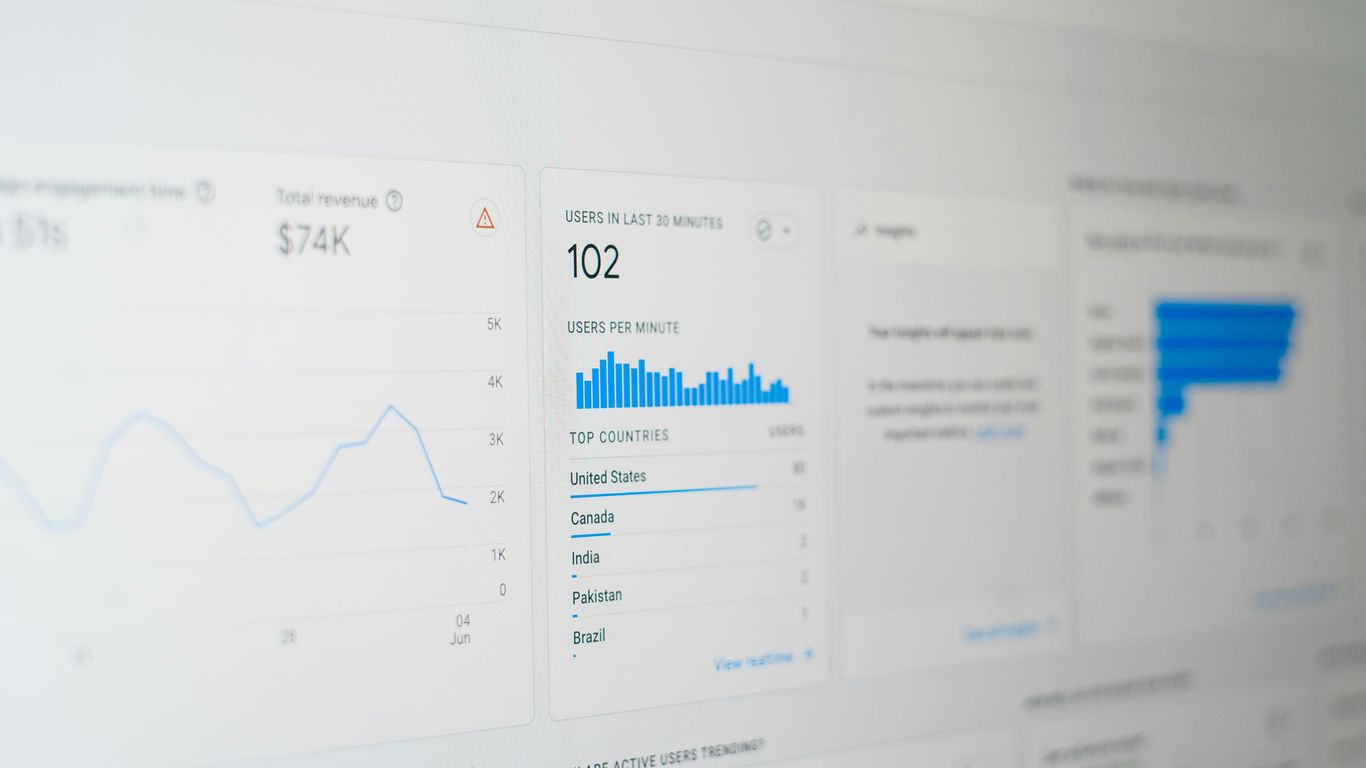
Look, trying to switch everything over to server-side tracking all at once? That's usually a bad idea, especially for businesses that aren't massive. It’s like trying to rebuild your entire house while you're still living in it. You end up with chaos and probably a lot of unfinished rooms. Instead, think about a smarter way: a hybrid approach. This means you're not throwing out your existing setup, but you're being selective about what you move to the more robust server-side method.
What really matters? Usually, it's the big wins: actual purchases and leads that are highly qualified. These are the events that directly impact your bottom line. Moving these specific actions to server-side tracking means you get a much clearer, more accurate picture of what's working. You're capturing the most important data points without the headache of migrating everything. It’s about getting about 80% of the value with maybe 20% of the work. You can set up parallel tracking for these key events. Your server sends purchase data directly to ad platforms using their conversion APIs, while your website still fires off pixels for page views and general engagement. This way, you get accuracy where it counts the most, without having to rebuild your entire tracking infrastructure.
So, what about everything else? Page views, time on site, scroll depth – these are still useful, but they don't usually have the same immediate financial impact as a sale. For these less critical, more general engagement metrics, sticking with client-side tracking is often perfectly fine. It’s simpler, less resource-intensive, and still provides valuable insights. The goal isn't to eliminate client-side tracking entirely, but to use it for what it does best, while letting server-side handle the heavy lifting for your most important conversion data. This balanced strategy helps you avoid the pitfalls of a full migration.
Implementing new tracking systems can feel overwhelming. It's easy to get lost in the technical details. But by adopting a hybrid model, you're essentially using a scalpel to make precise adjustments, rather than a sledgehammer to break everything down and start over. This gradual approach allows your team to learn and adapt. You can start with just a few critical events, monitor the results, and then slowly introduce more complexity as needed. This makes the process manageable and reduces the risk of major disruptions. Remember, the aim is to improve your data accuracy and attribution, not to create a system so complex that it becomes unmanageable. For businesses looking to improve their marketing attribution, this measured approach is often the most effective path forward.
Documenting your setup meticulously is non-negotiable. When server-side tracking inevitably encounters an issue at an inconvenient hour, clear, detailed troubleshooting guides will be your lifeline. Without them, you're just guessing in the dark.
This strategy also helps manage costs. Server costs can increase significantly with high traffic, so scaling gradually and only for the most important data ensures you're not overspending unnecessarily. It's about smart resource allocation, making sure your investment in tracking directly supports your business goals. For many businesses, especially those in competitive markets like remodeling in 2026, optimizing ad spend through accurate tracking is key to staying profitable.
You've likely spent a good amount of time trying to connect the dots between your marketing efforts and actual sales. You might be capturing Google Click IDs (GCLIDs) and GA Client IDs, pushing them into your CRM, and then sending conversion data back to GA4. It sounds like a complete loop, right? Yet, your reports still show discrepancies, and valuable deals often end up in the "Direct/None" bucket. The issue isn't usually with your CRM or your stitching process; it's that the initial web data you started with was already incomplete. You can't accurately attribute revenue if the first step of the customer journey was never properly recorded. Building a bridge between systems doesn't fix a crumbling foundation.
Traditional attribution models, especially last-click, often paint a misleading picture. They fail to account for the entire customer path, particularly the significant portion that happens offline or is obscured by privacy measures. When ad blockers or browser restrictions prevent tracking scripts from running, entire sessions and touchpoints vanish from your analytics. This creates a massive blind spot, leading to misallocated ad spend and a poor understanding of what's truly driving conversions. You need to look at the whole journey, not just the final click.
Consider this scenario:
If your GA4 report shows LinkedIn driving fewer leads and less revenue, you might cut its budget. But what if those LinkedIn ads were the first touchpoint for many of the deals now showing up as "Direct/None"? Without accurate initial tracking, you're optimizing for bad data. This is why understanding the full customer path, including those often-missed initial interactions, is so important for effective marketing funnels.
To truly overcome these tracking gaps, you must shift towards a robust first-party data strategy. When tracking scripts run as first-party resources (e.g., from a subdomain of your own site), they are far less likely to be blocked by ad blockers. This means you capture more of the initial sessions and user interactions. Furthermore, first-party cookies offer more persistent and reliable identifiers, which are critical for tracking users across longer sales cycles. This clean, verified data then flows into your CRM and advertising platforms, allowing their algorithms to optimize based on actual revenue, not just incomplete lead data. This approach helps you move beyond basic data stitching to a more trustworthy attribution model.
The real challenge in attribution isn't just connecting online and offline data; it's ensuring that the online data you start with is even there to begin with. Without a complete picture of the initial touchpoints, any subsequent analysis or optimization is built on shaky ground.
By focusing on data integrity from the very first interaction, you can start to build a more accurate view of your marketing performance and make smarter decisions about where to invest your budget. This is how you begin to reclaim lost revenue and achieve genuine ROI.

You've seen how incomplete data can skew your understanding of marketing performance, leading to wasted ad spend and missed opportunities. Now, let's talk about what you can actually do about it. It’s not about complex theories; it’s about practical, verifiable steps to get your data back on track.
First things first, you need to know how bad the problem is. Don't just look at your analytics platform's dashboard and assume everything is fine. You need to compare what your website analytics think they recorded with what actually happened on your server. A significant difference here is a flashing red light.
The goal here is to move from assumptions to facts. You can't fix what you don't accurately measure, and pretending the problem doesn't exist only makes it worse.
Many businesses have sales cycles that stretch weeks or even months. If the identifiers that link a user's initial website visit to their eventual purchase disappear too quickly, you'll never connect the dots. This is where many server-side tracking solutions start to show their value.
This is perhaps the most critical step. If your data is broken, any decisions you make based on it will also be broken. You might be cutting budgets from campaigns that are actually working wonders, simply because the data doesn't show it.
Implementing these steps requires a shift in mindset, moving from simply collecting data to actively verifying its integrity. It's about building a foundation of trust in your numbers, which is the only way to achieve truly accurate ROI calculations and make confident marketing investments. Ignoring these issues means you're essentially flying blind, making decisions based on guesswork rather than reality, and potentially missing out on significant revenue opportunities due to unassigned traffic in your reports.
So, where does all this leave you? It's clear that the landscape of digital tracking is shifting, and relying solely on yesterday's methods means you're likely missing a huge chunk of your customer interactions. The good news is, you don't have to throw the baby out with the bathwater. The future isn't about a single, perfect tracking solution, but rather a smarter, more adaptable approach.
Forget the idea of a complete switch to server-side tracking for everything. That's often overkill and introduces a level of complexity that most businesses aren't equipped to handle. Instead, the smart money is on a hybrid model. Think of it like this: you use server-side tracking as a precision tool for your most critical data points – like actual purchases or high-value lead submissions. For everything else, like page views or engagement metrics, your existing client-side tracking might still be perfectly adequate. This way, you capture the most important data with accuracy, while keeping the overall system manageable. It's about getting the most bang for your buck without unnecessary headaches. This approach helps you recover lost data, especially from sources like iOS traffic, without overhauling your entire setup.
Let's be honest, even the best-laid tracking plans can go awry. Server-side implementations, in particular, can be finicky. When something breaks at 2 AM (and it will), you need a clear roadmap to fix it. This means meticulous documentation. Every API endpoint, every data schema, every configuration setting needs to be logged. Create detailed troubleshooting guides that your team can actually use. This isn't just about fixing problems; it's about building resilience into your tracking infrastructure. Without this, you're setting yourself up for prolonged downtime and lost data, which defeats the purpose of implementing these advanced solutions in the first place.
When you start implementing more advanced tracking, it's easy to get caught up in the hype of "100% data capture." The reality is, that's rarely achievable, and chasing it can lead to wasted resources. Instead, focus on setting realistic success metrics. What does "better" actually look like for your business? Perhaps it's a 70% improvement in tracking conversions from iOS users, or a 50% reduction in discrepancies between your ad platforms and your analytics. Maybe it's simply verifying that your web analytics trends are based on more complete data. Aim for tangible improvements that directly impact your bottom line, rather than chasing an unattainable ideal. This pragmatic approach will save you time, money, and a lot of frustration.
As technology keeps changing, so do the ways we keep track of things. "The Future of Tracking: Intelligent Solutions for Evolving Needs" explores how smart tools are adapting to these new demands. These clever systems help businesses stay ahead and manage information more effectively. Want to see how these advanced tracking methods can help your business grow? Visit our website to learn more and discover the latest in tracking technology.
So, you've seen how easily your marketing data can get lost, leaving you making decisions in the dark. It's not about blaming Google Analytics or ad blockers; it's about understanding the reality of tracking today. While server-side tracking sounds like a magic bullet, it's often more complex and costly than advertised. The real win comes from a smart, focused approach. Start by fixing the biggest leaks in your data collection, especially where client-side tracking falls short. Don't try to boil the ocean; target the critical events that truly impact your bottom line. By being realistic about the challenges and adopting a measured strategy, you can finally get a clear picture of your marketing performance and make choices you can actually trust.
Think of it like this: some people use special tools, called ad blockers, that hide their activity online. Also, some web browsers, like Safari, have built-in features that limit how websites can track you. These things can make it seem like fewer people visit your site than actually do, sometimes hiding up to 40% of your real visitors. It's like trying to count cars on a road, but some are driving with their lights off.
Normally, your website sends information about visitors directly to tools like Google Analytics from your visitor's computer or phone. Server-side tracking is different. Your website first sends the information to your own computer server. From there, you can clean it up and send it to other tools. This helps get around ad blockers and browser limits, so more of your visitor information is captured accurately.
While some companies might say it's quick and cheap, the real cost can be much higher. Setting it up often takes a lot of time, needing skilled people to build and manage it. You might also need to pay for extra computer servers. It's not just a simple switch; it's a bigger project that needs careful planning and budget.
Server-side tracking becomes really important if a big chunk of your visitors use iPhones or iPads, as these devices have strong privacy features that hide data. It's also useful if you handle sensitive customer information and need to follow strict privacy rules. Plus, if you feel like you're wasting money on ads because you can't tell which ones are truly working, this can help you see the real picture.
Beyond the initial setup, you'll have ongoing costs. This includes paying for the servers that store and process your data, and for keeping the tracking system running smoothly. You might also need to hire or train people with special skills to manage it all, which adds to the expense.
If you don't use it, you might be making important business decisions based on incomplete or incorrect information. This could lead to spending money on advertising that doesn't work, not understanding which products are popular, or even missing out on valuable customers because their online activity wasn't recorded properly.
Yes, absolutely! Many businesses find success by using a mix. You can use server-side tracking for the most important information, like purchases or sign-ups, and use the regular client-side tracking for less critical things like page views. It's like using a detailed map for important routes and a simpler guide for everyday trips.
You need to check your data carefully. Compare the numbers you see in your analytics tools with other sources, like your sales records. Make sure that customer information stays connected throughout their entire buying process, even if it takes a long time. Don't make big changes to your marketing based on data that might be wrong.
Your next phase of growth requires a focused strategy. Instantly quantify your potential return with our Marketing ROI Calculator.
You're paying for traffic, but 80% of leads go cold within 10 minutes. Download our Speed-to-Lead Architecture Kit (Calculators + Scripts) and fix your follow-up system today.
Includes the "Revenue Leak" Calculator & Copy-Paste Scripts.